📑 New Task Workspace
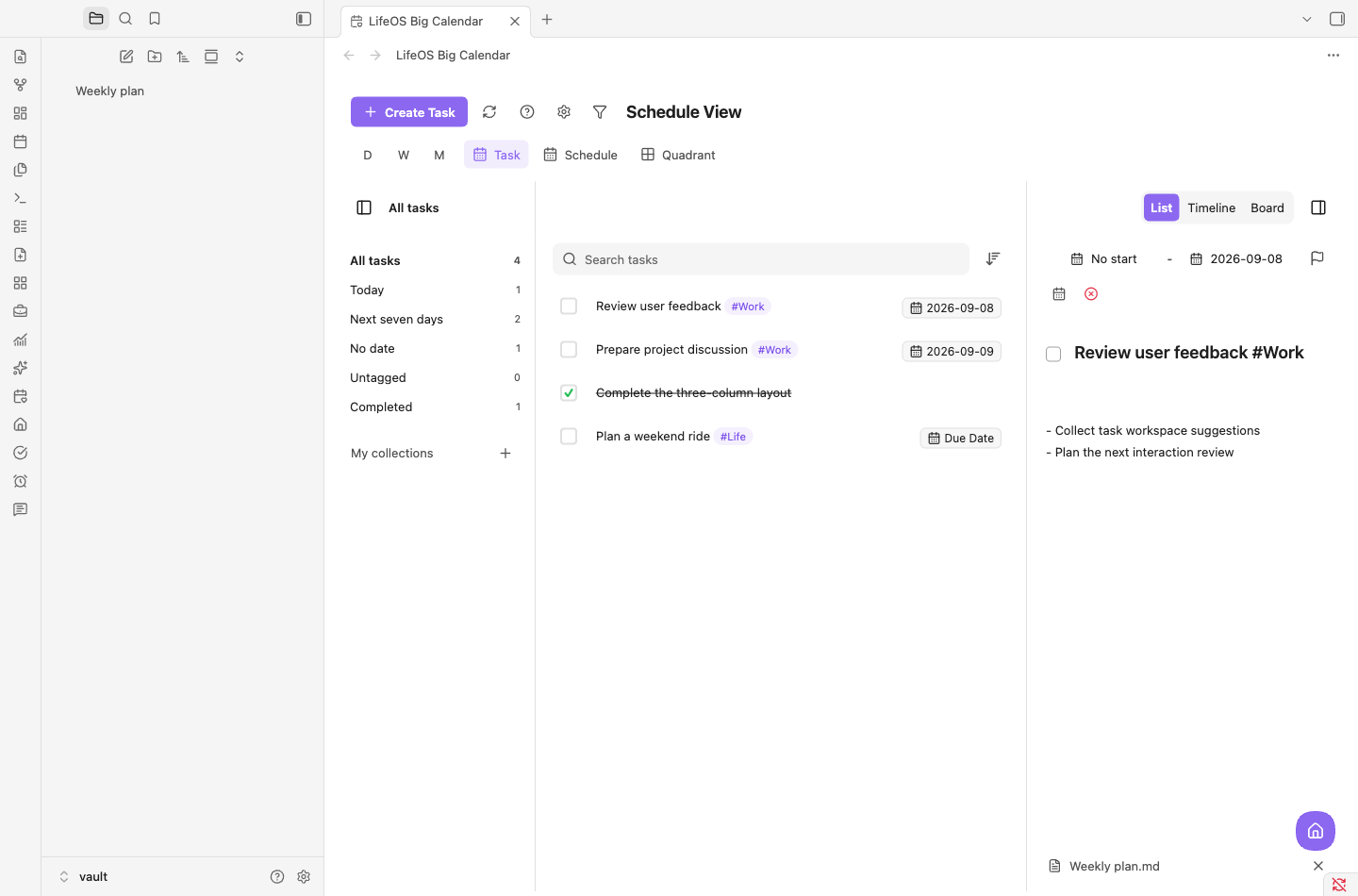
Select Task at the top of the Big Calendar to open collections, tasks, and editable details together. Switch between List, Timeline, and Board within this workspace, and save task notes directly to the source Markdown.
📅 Schedule Planning (Big Calendar View)
User Guide: Calendar View
Effortlessly plan due dates for each task with simple drag-and-drop. Supports day view, week view, and month view to easily manage your time and boost efficiency every day!
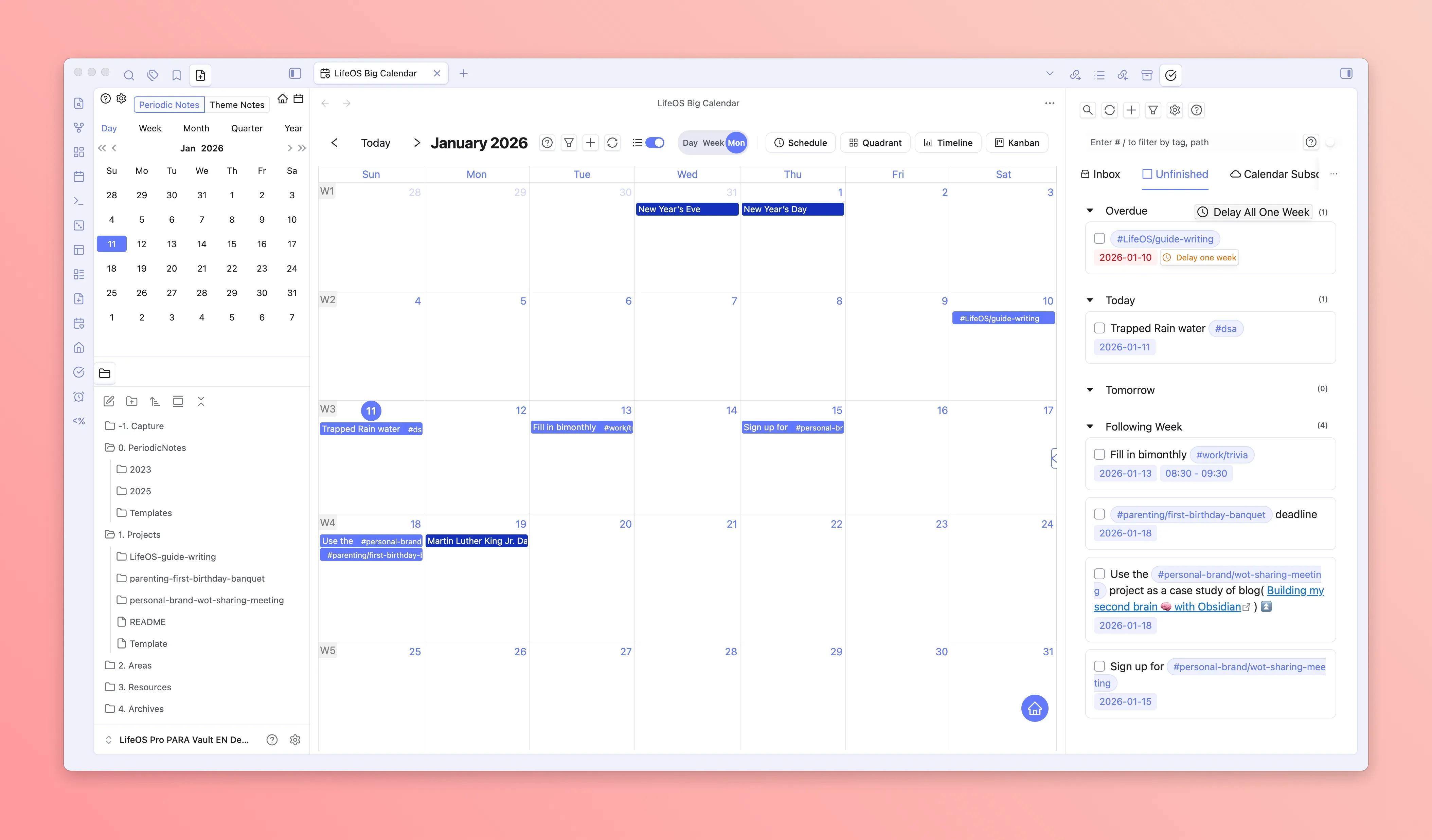
Month View
Month view displays the entire month's tasks in traditional calendar format, suitable for viewing and planning monthly schedules from a macro perspective.
- Full Month Overview: View the entire month's task distribution at a glance
- Drag-and-Drop Scheduling: Drag tasks from the sidebar to date cells to quickly set due dates
- Quick Navigation: Click on date numbers to quickly jump to the corresponding day view
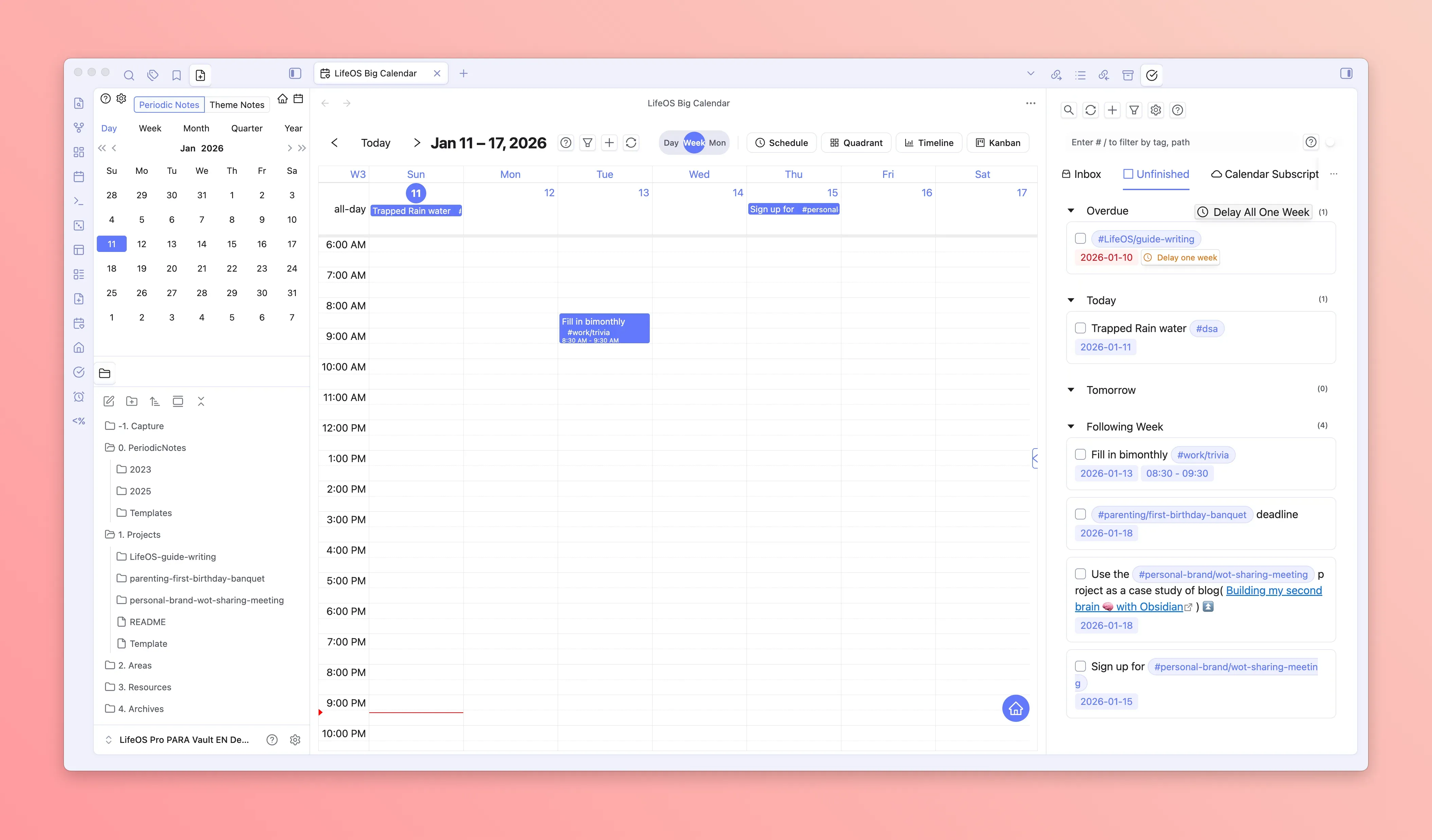
Week View
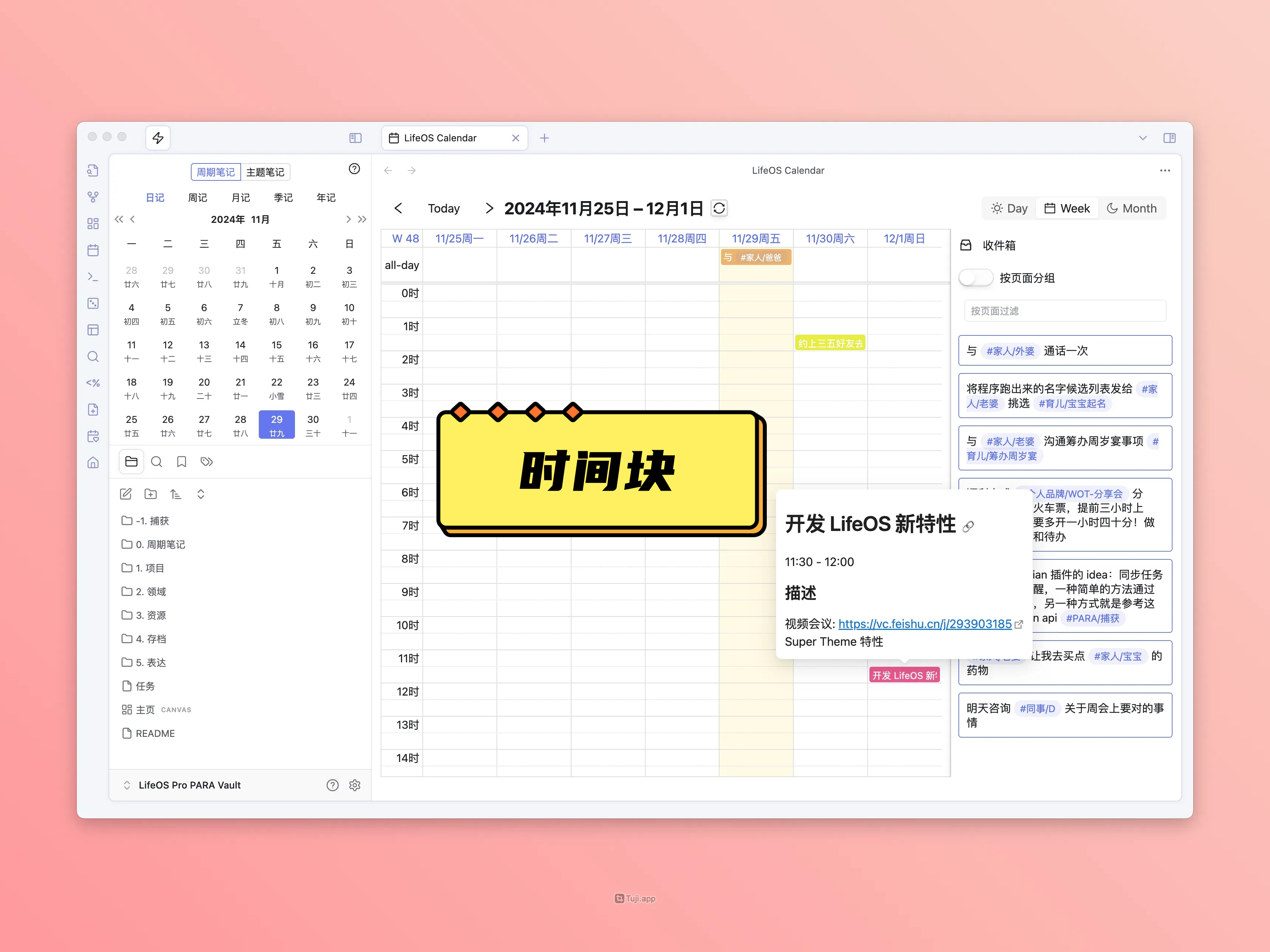
Week view displays a week's tasks and schedules in timeline format, precise to the hour, suitable for detailed time block planning.
- Timeline Layout: Horizontal axis shows seven days of the week, vertical axis shows 24-hour time scale
- Time Block Drag-and-Drop: Drag tasks to specific time slots, or drag to adjust task duration
- Multi-day Tasks: Tasks spanning multiple days are displayed as horizontal bars
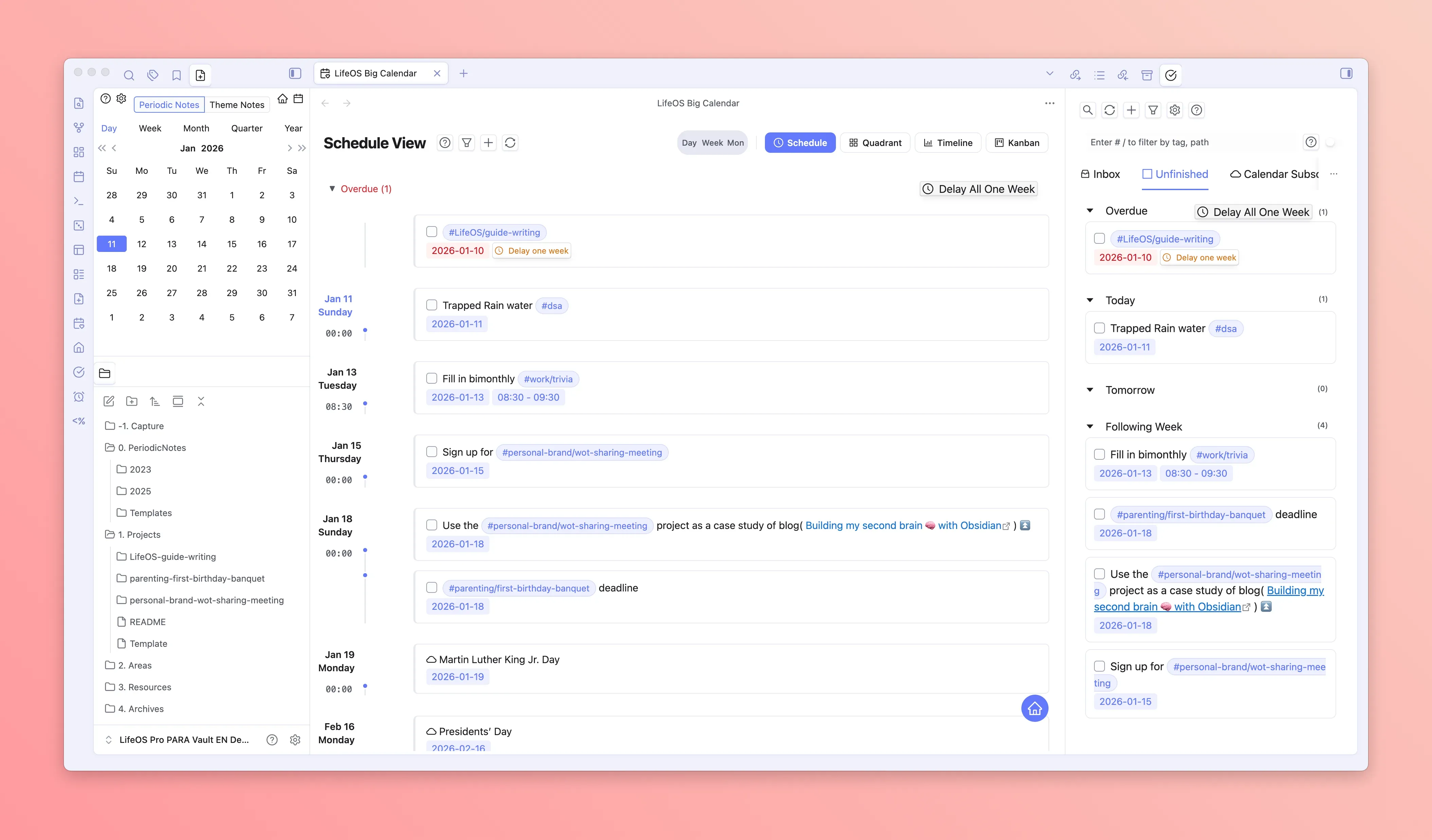
Schedule View
Schedule view displays future tasks and schedules in list format grouped by date, supporting infinite scroll to load more dates.
- Timeline Display: Arranged vertically by date, clearly showing each day's to-dos
- Infinite Scroll: Automatically loads more dates' tasks when scrolling down
- Postpone Actions: Quickly postpone tasks to tomorrow or a specific date
- Recurring Task Expansion: Automatically expands recurring tasks to their respective dates
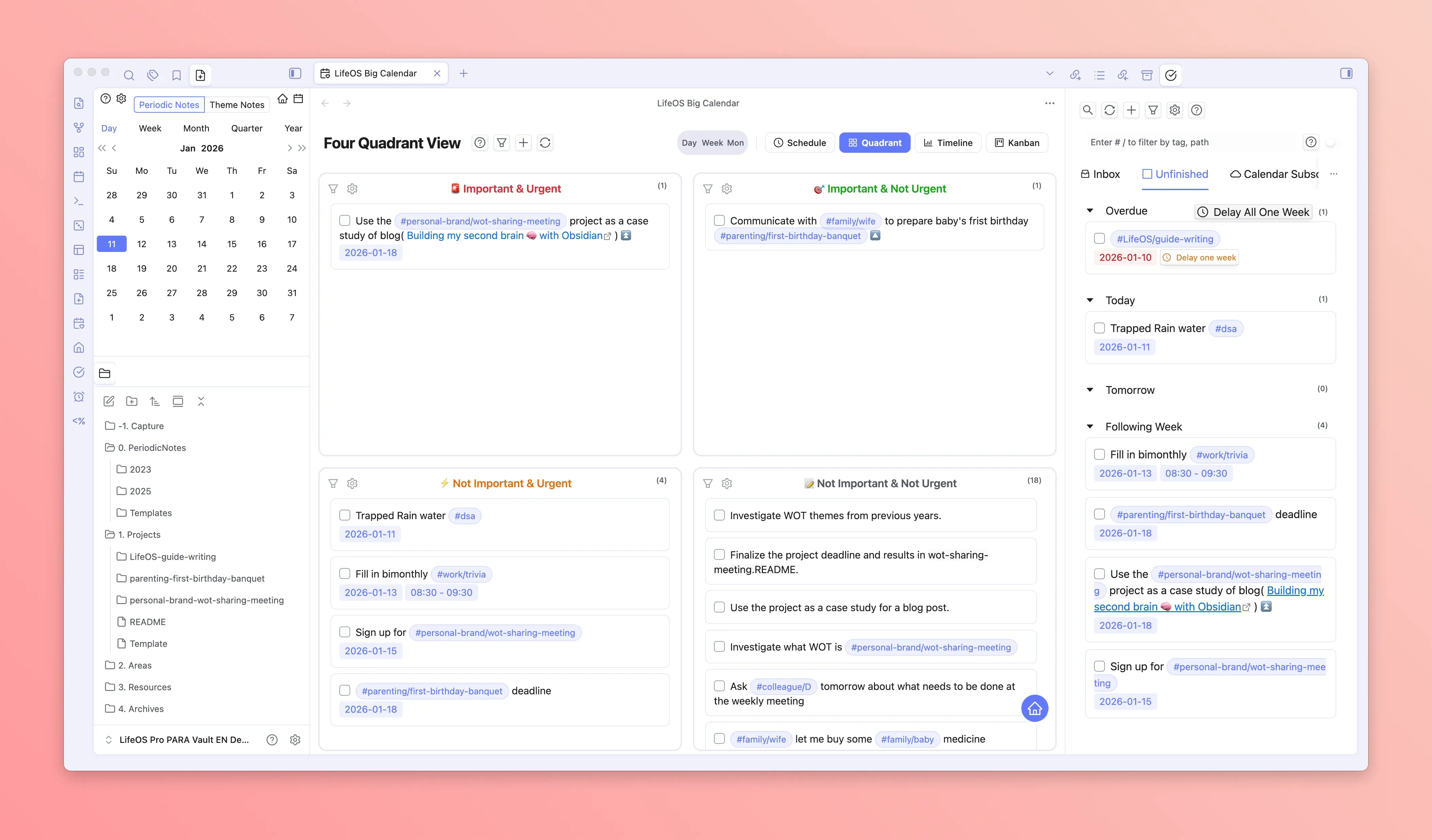
Four-Quadrant View
Four-quadrant view is based on the Eisenhower Matrix, categorizing tasks by "Importance" and "Urgency" dimensions, helping you focus on what truly matters.
- Four Quadrants:
- Important & Urgent: High/Medium priority + due within next 7 days
- Important but Not Urgent: High/Medium priority + no due date
- Not Important but Urgent: Low/No priority + due within next 7 days
- Not Important & Not Urgent: Low/No priority + no due date
- Drag-and-Drop Categorization: Drag tasks to different quadrants to automatically adjust priority and date
- Custom Filtering: Each quadrant supports custom filter conditions (day range, priority, task source)
Day View
Day view displays a single day's task schedule in timeline format, precise to the hour, suitable for planning specific daily time arrangements.
- Single-Day Timeline: 24-hour time scale clearly shows the day's time allocation
- Time Block Creation: Click on empty time slots to quickly create new tasks
- Drag Adjustment: Drag tasks to adjust start time, drag edges to adjust duration
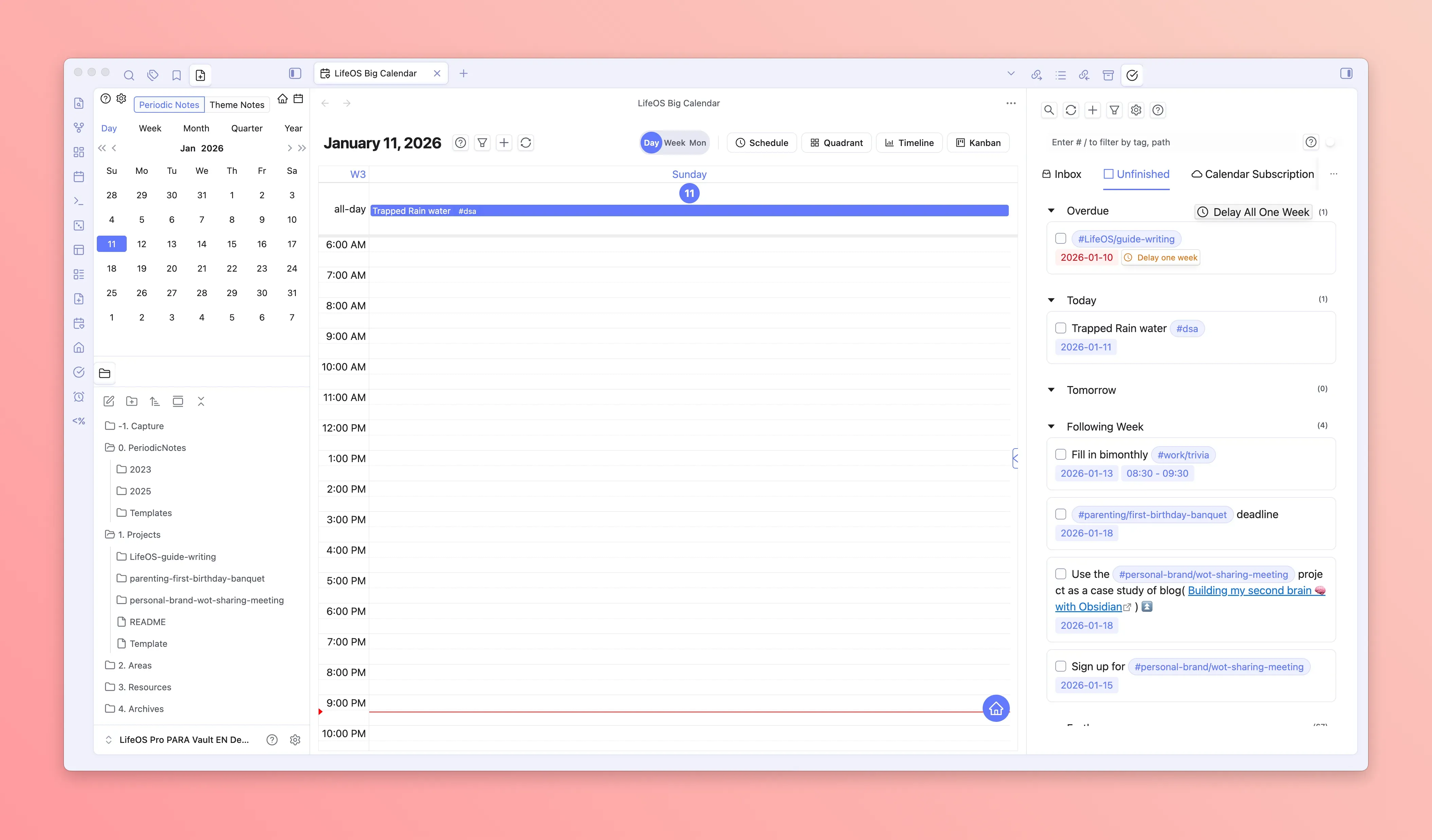
Board in the Task Workspace
Kanban view displays tasks as cards, with grouping by status, due date, priority, or tag:
- Group by Status: Organize incomplete, in-progress, completed, and cancelled tasks
- Group by Due Date: Display tasks in columns by "Overdue", "Today", "Tomorrow", "This Week", "Later", "No Date" time dimensions
- Group by Priority: Display tasks in columns by priority (High, Medium, Low, None)
- Group by Tag: Display tasks categorized by tags
Supports dragging tasks to different columns to quickly modify due dates or priorities, perfect for scenarios requiring quick browsing and organizing tasks.
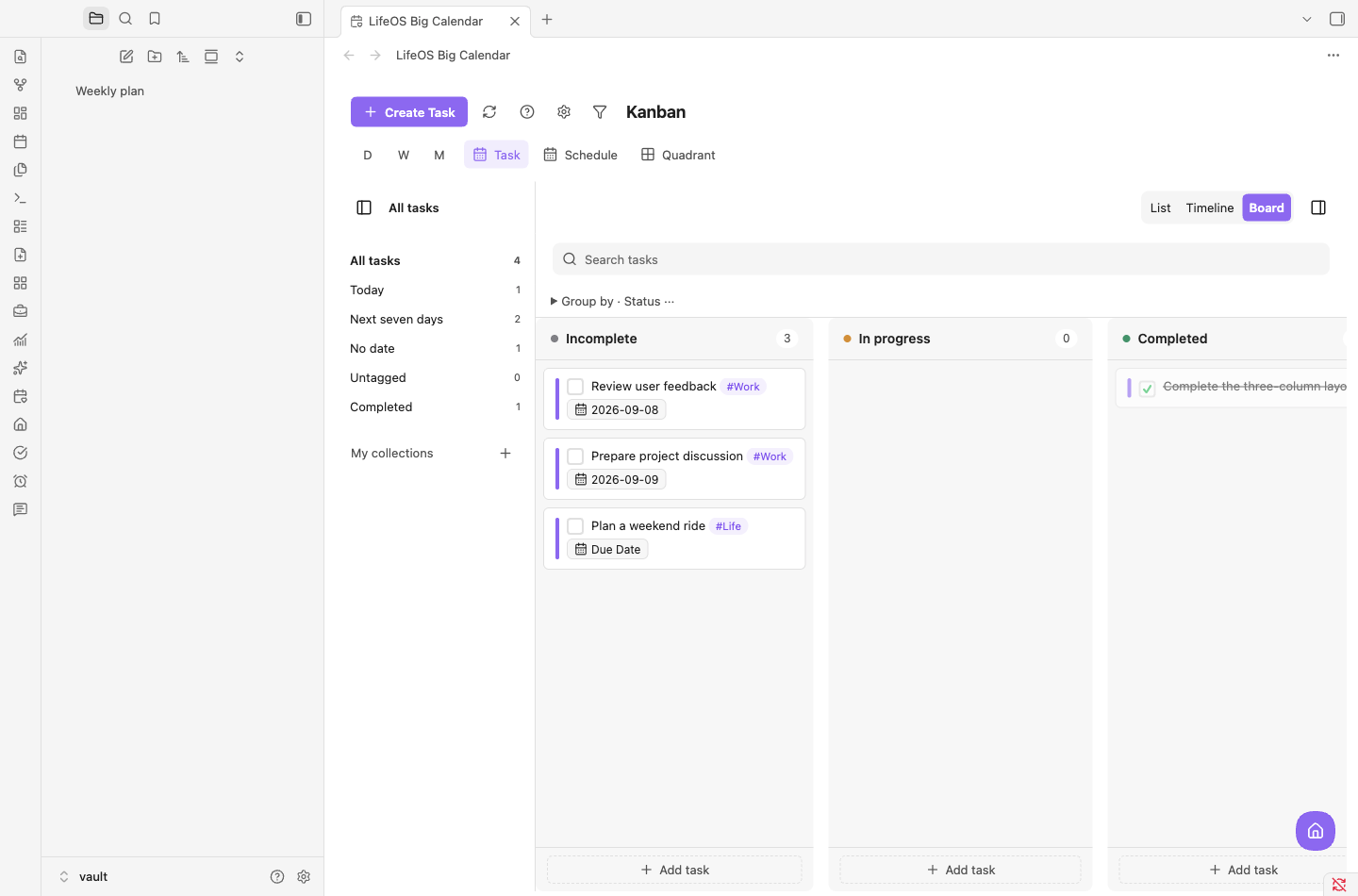
Timeline in the Task Workspace
Timeline view displays tasks in Gantt chart format, with time on the horizontal axis and tags grouped on the vertical axis, visually presenting task duration and distribution.
- Multiple Time Units: Supports switching between "Day", "Week", "Two Weeks", "Month" time ranges
- Inbox Area: Tasks without scheduled times are displayed in the inbox area at the bottom, which can be dragged to the timeline for planning
- Drag Adjustment: Drag task bars to adjust start/due dates for intuitive time planning
Timeline view is particularly suitable for scenarios requiring a macro view of project progress and task distribution.
📅 Remote Calendar Subscription (Two-way Sync)
User Guide: Calendar Subscription
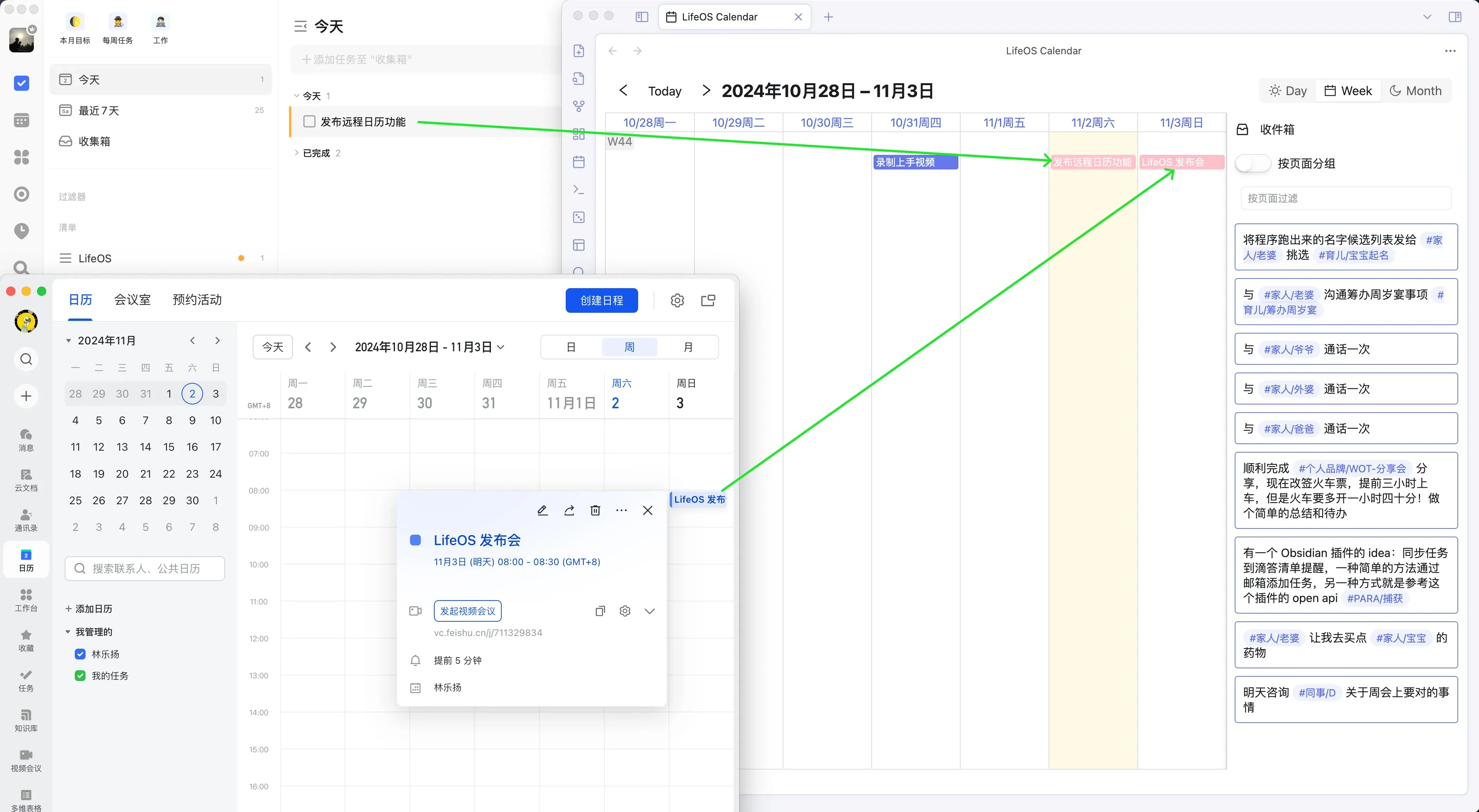
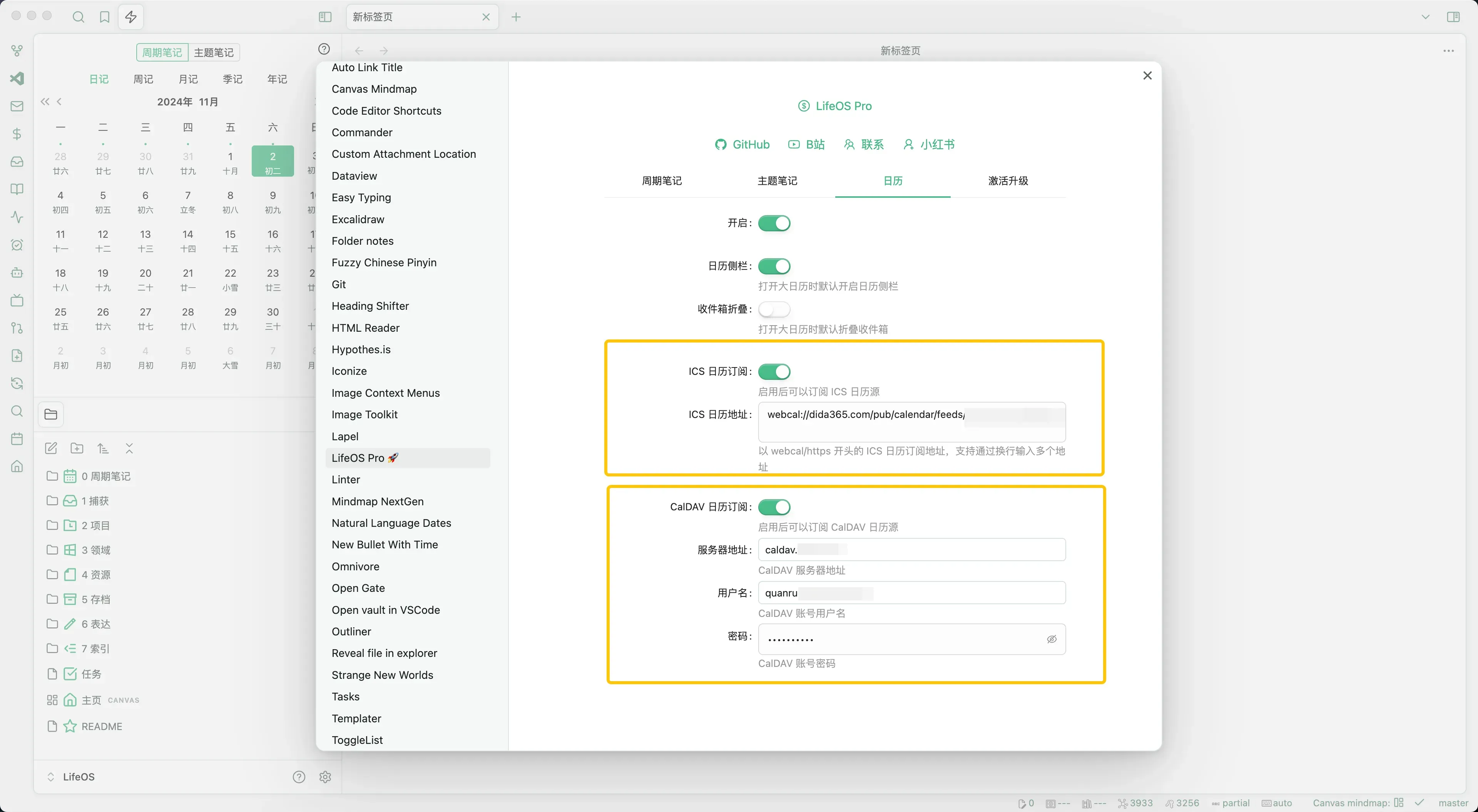
Supports subscribing to remote calendars via ICS and CalDAV protocols, such as TickTick and Feishu Calendar, allowing you to centrally manage all your calendar data for easy viewing and planning.
Supports two-way sync via CalDAV protocol with iCloud Calendar, Google Calendar, and other CalDAV Calendar services, enabling task reminders across iOS, Android, macOS, Windows, Linux, and other platforms.