
Keep your editor, plugins, themes, and workspace; purchase DeepAsk separately only when you need AI.
Obsidian vs Aino
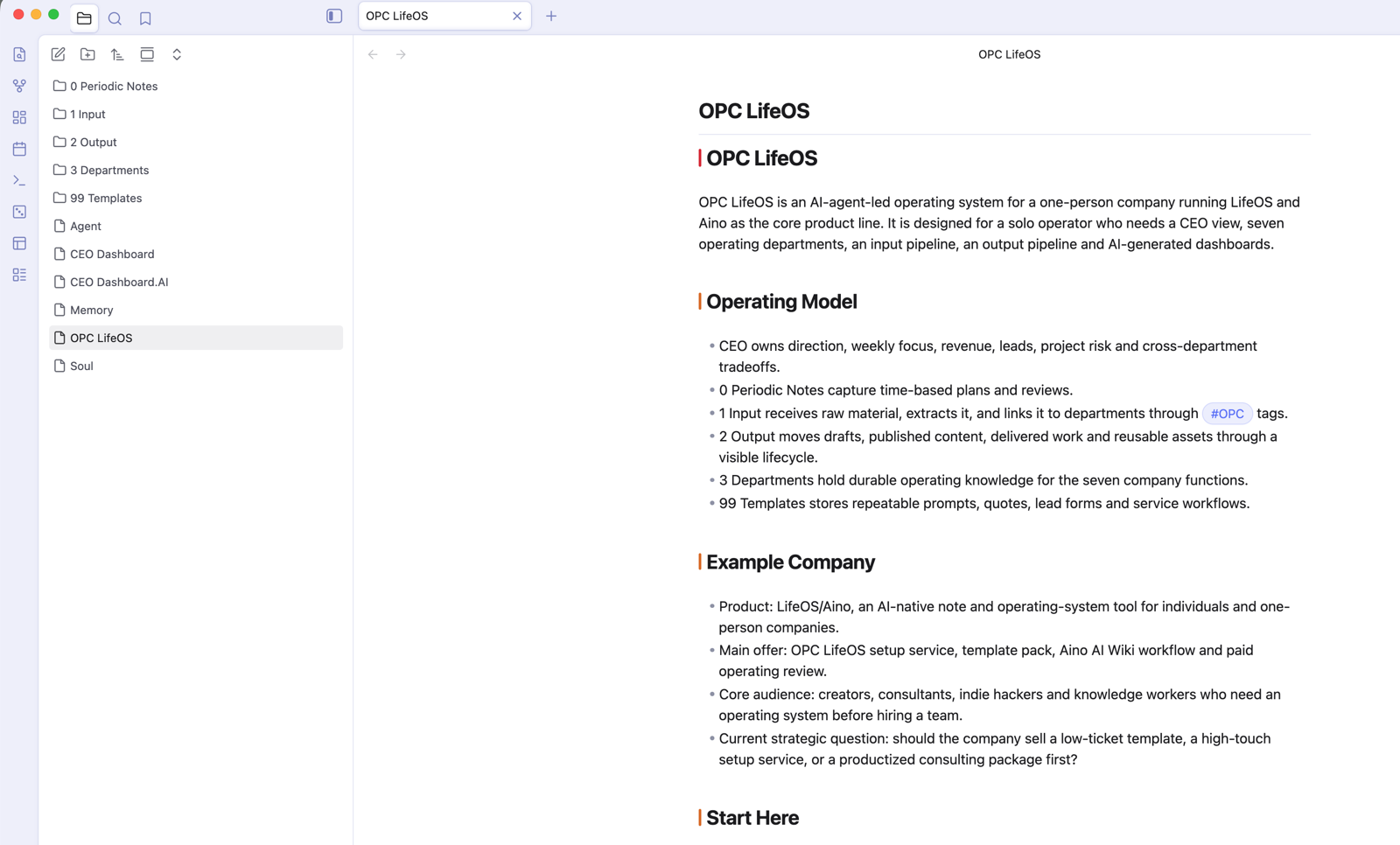
LifeOS Pro will continue as the Obsidian plugin path. Aino Desktop is a new standalone desktop app path. They are not replacements for each other; they are two Markdown Workspaces for opening and operating on the same kind of note assets.
If you like the Obsidian plugin ecosystem, themes, custom workspaces, and local scripts, Obsidian + LifeOS Pro remains a good choice. If you want a more out-of-the-box AI note workspace, Aino Desktop is worth considering.
Choose by working style before comparing every feature
Both use local Markdown and can open the same vault. Your core notes remain portable if you change tools later.
Capabilities and Boundaries
See the complete 10-part capability and boundary comparison
Four things to remember
- The same Markdown data
- LifeOS workflows align where practical
- Host capabilities still differ
- Purchases and licenses are separate
| Dimension | Shared foundation | Obsidian + LifeOS | Aino Desktop |
|---|---|---|---|
| Product form | Both support the same LifeOS workflows | A plugin suite running inside Obsidian | A standalone app with its own desktop runtime |
| Note data | Local Markdown, folders, tags, wikilinks, tasks, and frontmatter | Native Obsidian vault | Opens Markdown or Obsidian vaults directly |
| LifeOS views | Business logic and most product views are shared where practical | Adapted to Obsidian themes, sidebars, and workspaces | Desktop design baseline for shared views |
| Editor and files | Reads and writes the same Markdown files | Uses the Obsidian editor and file explorer | Uses Aino’s built-in editor, library, and file tree |
| Extensions | The core file format does not depend on a proprietary database | Obsidian community plugins, themes, CSS, and hotkeys | Built-in workflows, LifeOS Skill, MCP, and app integrations |
| AI chat | Shares the chat workflow and UI building blocks; both require a model provider | Requires a separately purchased and activated DeepAsk license | Built into the Aino Desktop sidebar |
| Local agents / Node.js | Desktop can connect to local models or agents | Provided by DeepAsk on desktop; Obsidian Mobile cannot run Node.js or CLI agents | Integrated through the standalone desktop runtime |
| Mobile | Core Markdown data can move through the sync method you choose | Some plugin features work in Obsidian Mobile, subject to mobile API limits | Aino Desktop does not run on phones; Aino Mobile is a separate product |
| Sync | The vault remains a normal folder you control | Uses Obsidian Sync, iCloud, Git, or another user-managed option | Can use Aino-supported WebDAV, S3, and related sync options |
| Purchase and licensing | Data compatibility does not make licenses interchangeable | LifeOS Pro, Calendar Pro, and DeepAsk are licensed separately | Aino Desktop Pro is separate and does not include Aino Mobile Pro |
Stay With LifeOS Pro
Choosing LifeOS Pro means Obsidian remains your primary workspace. LifeOS Pro enhances periodic notes, theme notes, tasks, calendar, advanced lists, and daily convenience features inside Obsidian.
This path fits when:
- Your Obsidian plugin setup is already stable.
- You need community plugins, themes, hotkeys, and local scripts.
- You want the LifeOS methodology inside an existing Obsidian Vault.
- You want control over every plugin and workspace detail.
Consider Aino Desktop
Aino Desktop is an AI-native Markdown workspace. It can open Obsidian Vaults, use Memos / IPO / GTD / PARA / OPC example vaults from easiest to hardest, and integrate the AI sidebar, tasks, calendar, templates, and workspace views more tightly.
This path fits when:
- You want less setup and more out-of-the-box workflow.
- You want AI to naturally read the current note, tags, files, and template context.
- You want a desktop workspace for one-person company operations, project management, review, and content production.
- You want to keep Markdown files instead of moving into a private database.
The Same Markdown Assets
LifeOS Pro and Aino Desktop both work around Markdown files, folders, tags, and wikilinks. Aino's commitment is: no private syntax lock-in, and no note format that only Aino can read.
Tip
You can use Obsidian as a highly extensible editor, and Aino as an AI-native desktop view layer. Use only one app to edit the same file at the same time to avoid write conflicts.
How Much Is Shared?
LifeOS Pro shares the LifeOS business core, data structures, and most product views, using Aino Desktop as the interaction and visual baseline. Obsidian still owns the editor, file explorer, workspace layout, theme variables, and plugin lifecycle, so those host boundaries use dedicated adapters instead of copying Aino directly.
Equivalent workflows such as Home, Workbench, periodic notes, and tasks should remain aligned. Opening files, switching native views, browser integration, and mobile behavior are implemented through Obsidian adapters. Shared functionality does not guarantee identical pixels or identical host capabilities.
Continue Reading
- Obsidian vs Aino — Read the standalone desktop app perspective on the Aino site.
- OPC LifeOS Example Vault — The same OPC template can be opened in Obsidian LifeOS Pro and Aino.
- LifeOS Skill — Let AI maintain your LifeOS Vault with stable rules.