
Pomodoro Timer
The Pomodoro Timer is a built-in focus timing tool in LifeOS Pro, helping you better manage your time and improve work efficiency.
Features
Dual Timing Modes
- Pomodoro Mode: Traditional Pomodoro Technique, default 25 minutes focus + 5 minutes break
- Stopwatch Mode: Free timing, manually stop to record duration
Project Association
You can associate timing with a project or theme. After completion, the time spent is automatically recorded to your daily note's project list, making your time statistics more accurate.
Automation Options
- Auto Start Break: Automatically enter break time after completing a pomodoro
- Auto Start Next Pomodoro: Automatically start the next pomodoro after break ends
- Auto Focus Count: Set the number of consecutive pomodoros to complete before stopping the auto flow
Mini Timer
During timing, you can minimize to a floating mini timer, allowing you to view progress while working on other pages. The mini timer supports drag-and-drop positioning.
How to Use
Open Pomodoro Timer
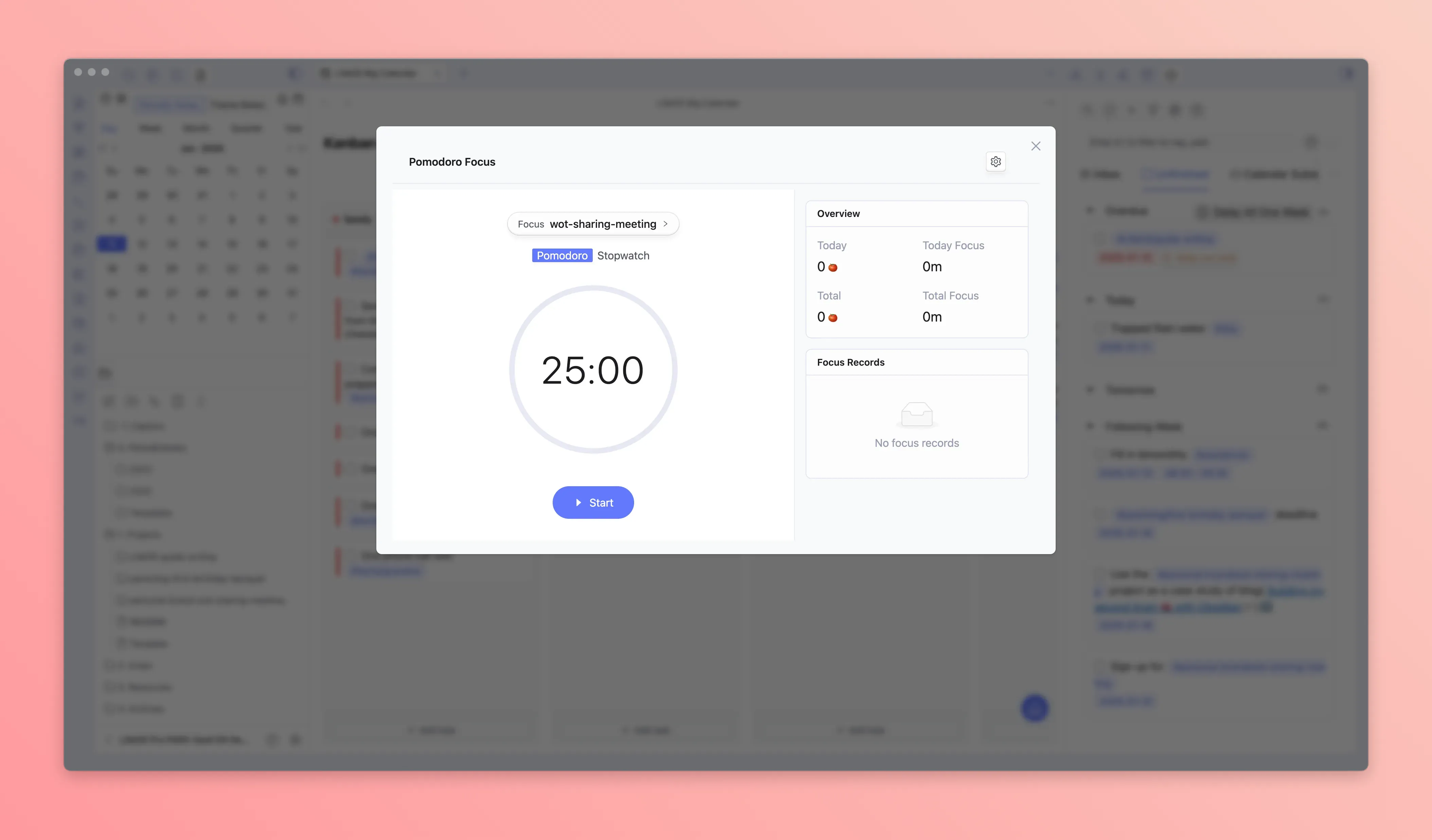
Click the tomato icon in the sidebar to open the Pomodoro Timer panel.
Start Timing
- Select timing mode (Pomodoro or Stopwatch)
- Click "Focus >" to select a project to associate (optional)
- Click the "Start" button to begin timing
Timer Settings
Click the settings icon on the right side of the Pomodoro Timer panel to customize:
- Pomodoro duration (default 25 minutes)
- Short break duration (default 5 minutes)
- Long break duration (default 15 minutes)
- Long break interval (default after 4 pomodoros)
- Auto options (auto break, auto next pomodoro, auto focus count)
- Sound notification toggle
Time Recording
After completing a pomodoro, if associated with a project, the time spent is automatically recorded to the project list in your daily note:
Statistics
The right side of the Pomodoro Timer panel displays statistics:
- Today's Pomodoros: Number of pomodoros completed today
- Today's Focus Time: Total focus time today
- Total Pomodoros: Historical total completed pomodoros
- Total Focus Time: Historical total focus time
Below, a focus record list is displayed, grouped by date showing the time period and duration of each focus session.
Integration with Time Management
The Pomodoro Timer integrates perfectly with LifeOS's Time Management feature:
- Use the Pomodoro Timer to record time spent on each project
- Time is automatically aggregated to the project list in your daily notes
- Weekly, monthly, quarterly, and yearly notes automatically calculate the time proportion for each project
This way, you can clearly understand "where your time went" and more efficiently adjust and plan your time!